
Charging an electric vehicle (EV) at a rapid charging station is quick and straightforward. Most rapid chargers use a tethered cable, so you won't normally need to bring your own charging cable.
Here's how to rapid charge your EV.
1. Park at the rapid charger
Park your EV in the charging bay and make sure the charging port is within reach of the charger cable.
2. Open the charging port
Just like a petrol or diesel car, open the charging port. Some EVs have these in the same places as the fuel caps, others will have them at the front of your EV.
Double Check which rapid charging connector your EV uses.
3. Touch the screen on the charge point to start
Think Pay at Pump, you need to activiate your charge before plugging in.
Follow the instructions displayed on the charging station, and choose which side of the charger you will be using.
4. Choose how you will pay
Depending on the charging network, you may be able to start and pay for your charge using:
-
A contactless debit or credit card
-
Apple Pay or Google Pay
-
The charging network's app
-
An RFID or EV charging card
-
A compatible roaming or fleet charging service
At UK public rapid chargers, contactless payment should be available, allowing drivers to pay without needing a subscription or pre-existing contract.
Before starting, check the price per kWh displayed by the charging operator.
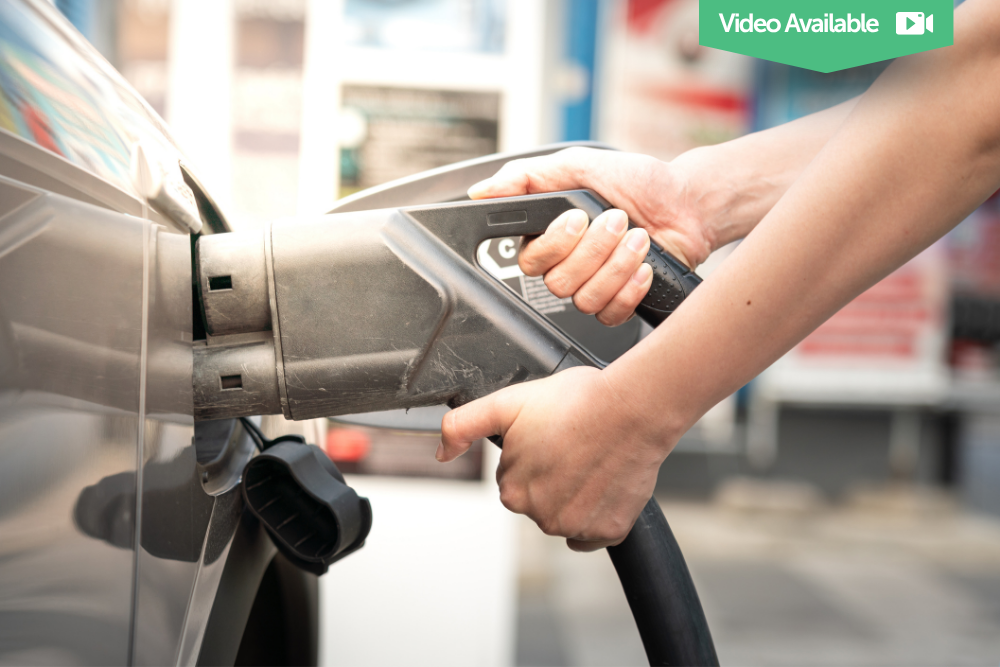
Take the charging cable from the unit and plug it firmly into your vehicle's charging port.
The charger or your vehicle should indicate when the connection has been recognised.
5. Connect the charging cable to your EV
Take the charging cable from the unit and plug it firmly into your vehicle's charging port.
The charger or your vehicle should indicate when the connection has been recognised.
6. Check that your EV is charging
Once the session has started, check the charger display or your vehicle to confirm that charging is in progress.
You may be able to see:
-
Current battery level
-
Charging speed in kW
-
Energy delivered in kWh
-
Charging time
Charging speed varies depending on the charger, your EV's maximum charging capability, battery temperature and current state of charge.
6. Charge to the level you need
Rapid charging is particularly useful during longer journeys when you want to add range quickly.
Charging speeds usually reduce as the battery becomes fuller, particularly at higher states of charge. Because of this, you may find it quicker on a long journey to charge to the level you need and continue driving. Charging from 20-80% often takes as long as charging from 80-100%. Read more about the 20%-80% 'Rule'.
You can usually control your charging percentage using the vehicle's infotainment screen or app.
7. Stop the charging session
When you're ready to leave, stop the session using the charger, app or infotainment screen. If your set percentage has been reached, the charging will automatically stop.
Wait until the vehicle releases the connector before trying to remove it.
8. Unplug and move your EV
Disconnect the charging cable, return it securely to the charging station and close your vehicle's charging port.
Check that the charging session has ended and move your EV out of the charging bay so another driver can use the charger.
Rapid EV Charging: The Simple Version
Park → Plug in → Pay or authenticate → Start charging → Stop the session → Unplug → Move your EV
That's it. Once you've rapid charged an EV a couple of times, the process quickly becomes as familiar as stopping at a petrol station.